Payments and balances
Money never passes through CoreUnison: members pay the organization directly, and the ledger records it. Every charge moves through a few clear statuses.
Where members pay
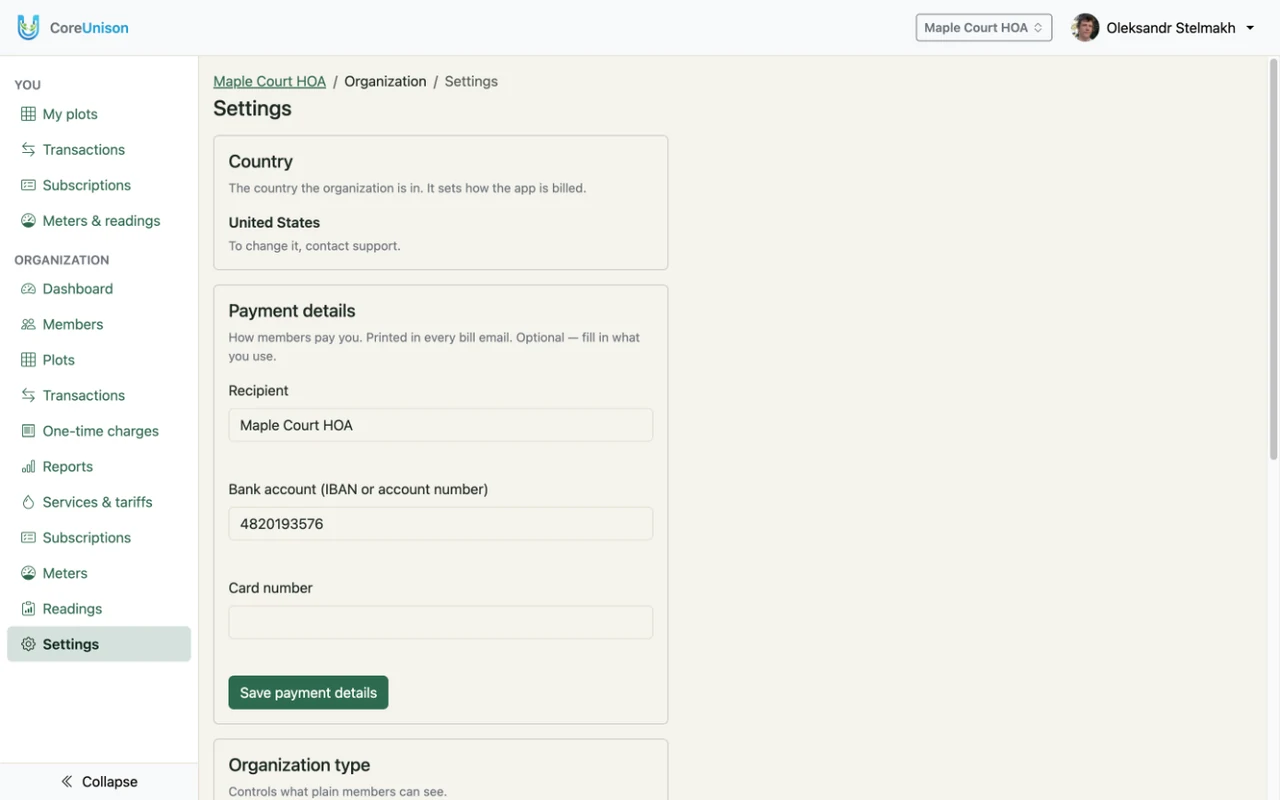
An admin fills in Payment details in Settings: the recipient, the IBAN or account number, and a card number. They are printed in every bill email, so members always know where to pay. Members can copy a charge's ID into the payment reference so staff can match it.
Bills by email
Every new charge reaches the member who holds the plot by email. Once an hour, each member with new charges gets one email listing them — plot, description and amount — with the total and the payment details. A Ukrainian organization's bills are in Ukrainian, others in English. Each charge is emailed once; members without an email address simply see their charges in the app.
From charge to confirmed
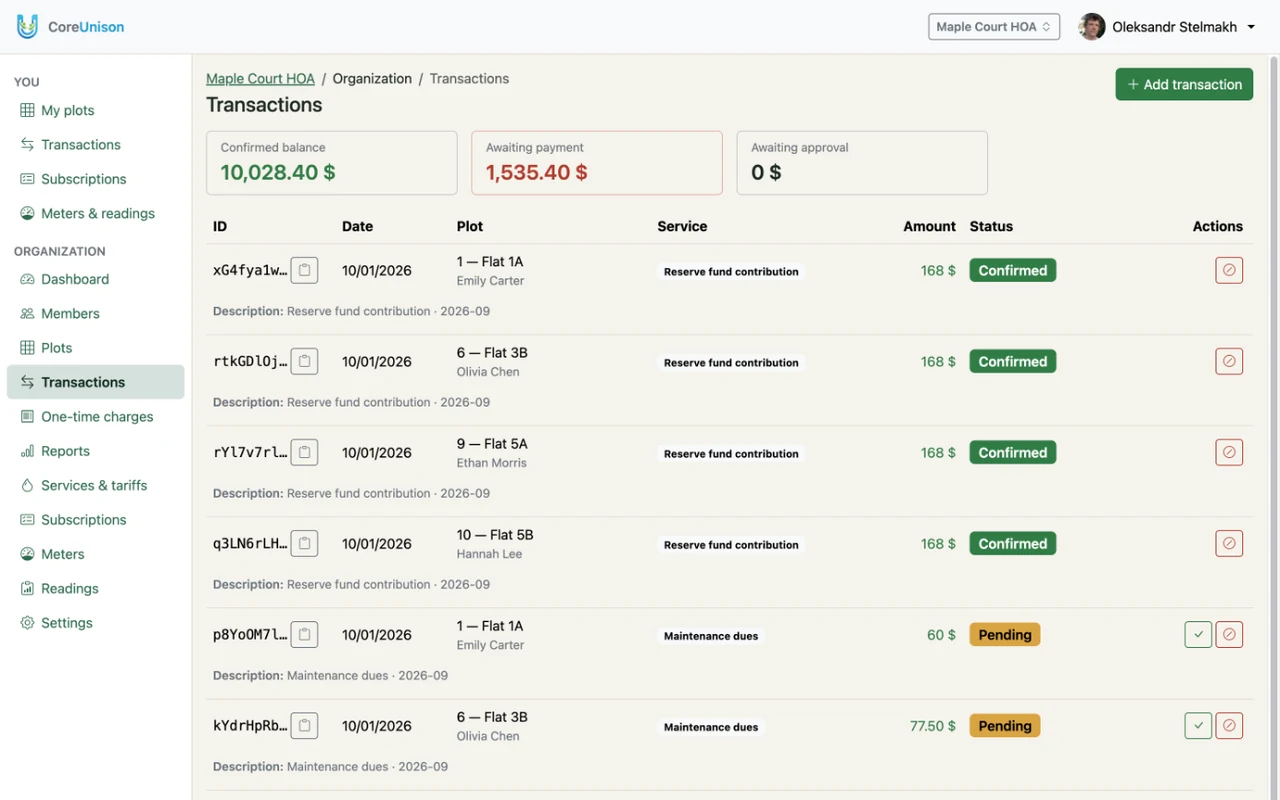
- A new charge is Pending: from an approved reading, the monthly billing, a one-time charge, or Add transaction.
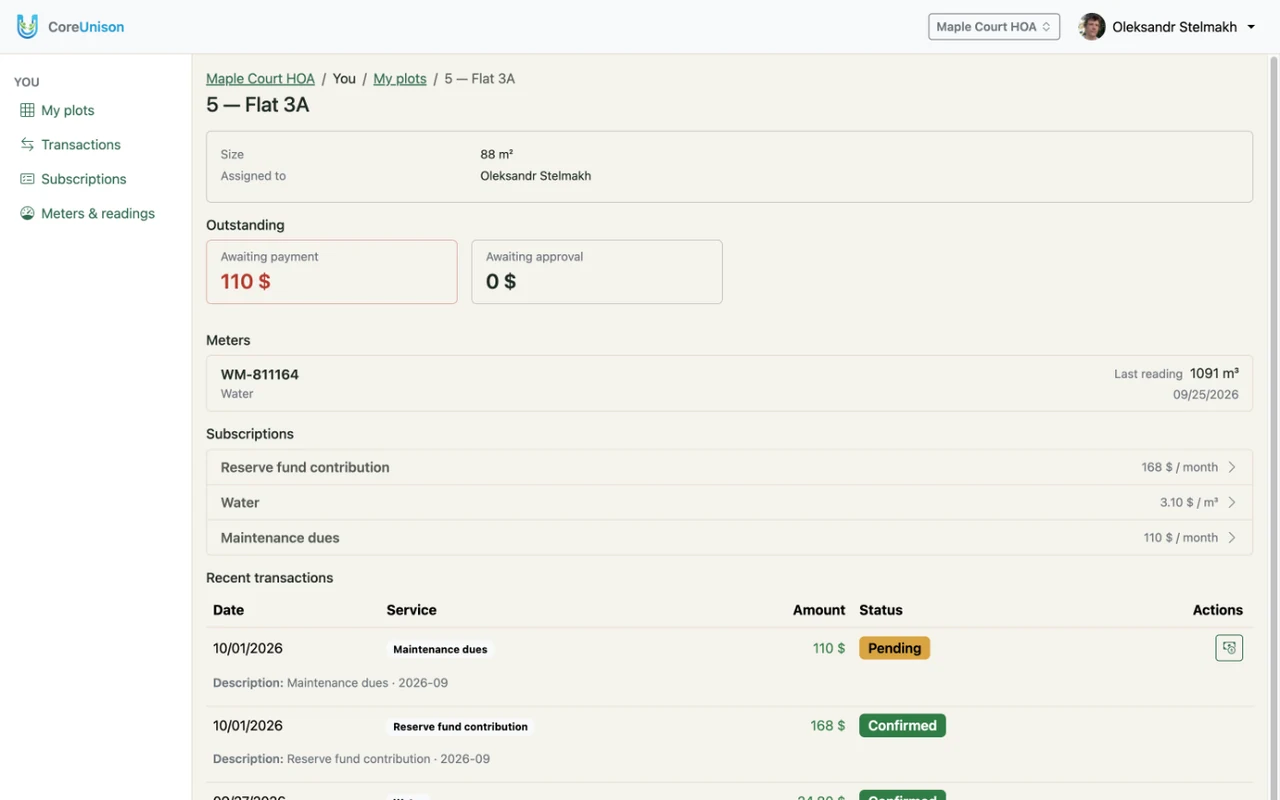
- The member clicks Mark as paid; the charge becomes Paid (awaiting confirmation).
- Staff check that the money arrived and click Confirm.
- Void cancels a charge made by mistake. It stays in the ledger, so the history is complete, but no longer counts.
Which balance counts what
- Confirmed balance — only confirmed money: what actually came in, minus spending.
- Awaiting payment — pending charges nobody has paid yet.
- Awaiting approval — charges marked as paid that staff haven't confirmed.
Good to know
- Staff can confirm a payment even if the member never marked it.
- A voided charge can't be restored — add a new one instead.