HOA software that splits every bill fairly
Residents submit their own meter readings, the board approves them in one click, and every unit's charges, payments and balance stay up to date.
What CoreUnison takes off your board's plate
Readings without spreadsheets
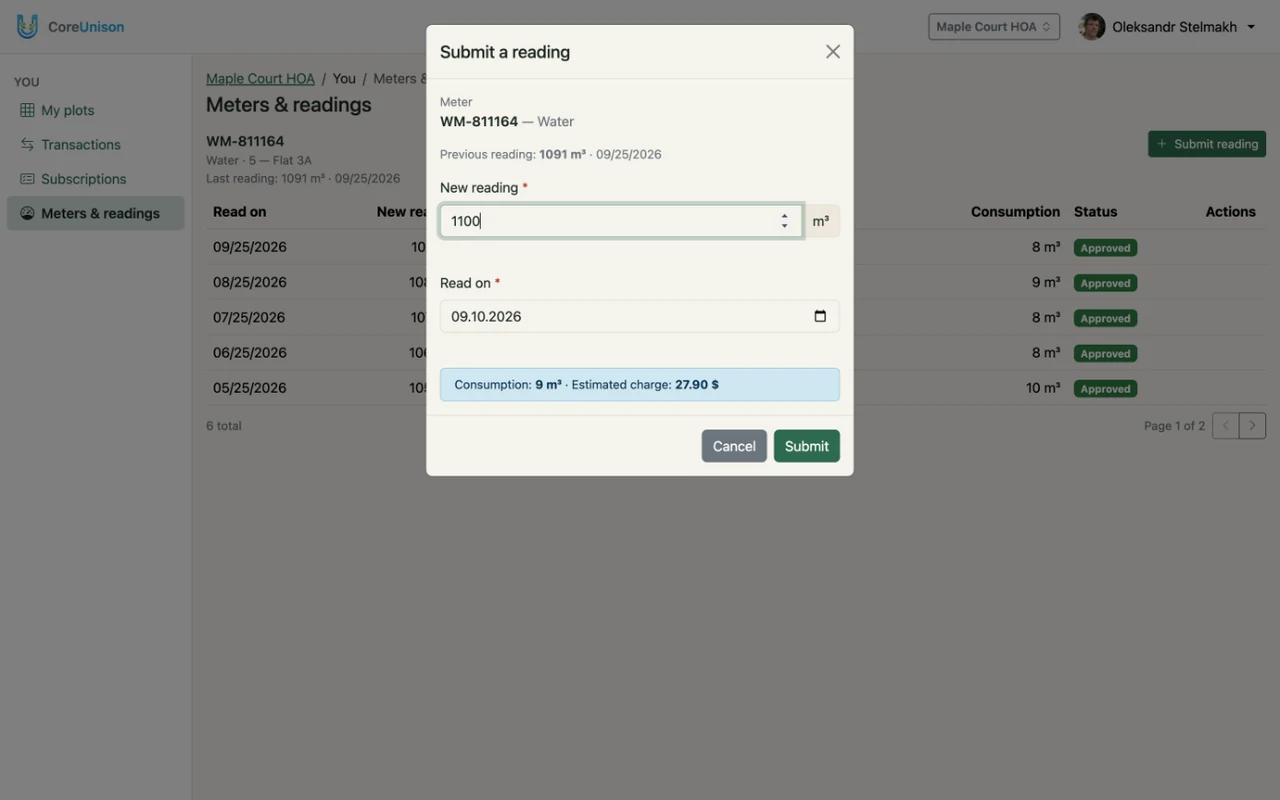
Residents submit their water, power or gas readings from their phone. The board approves them, and each one becomes a charge.
Dues by unit or by area
Bill maintenance dues as a fixed amount per unit or by its area. Split one-off costs, like a roof repair, across the units they're for.
Who has paid, who owes
The board records every payment and sees each unit's balance. Each resident sees their own.
Debt stays with the unit
When a unit changes owner, its balance and history stay with the unit, not the person.
Made for how an HOA actually runs
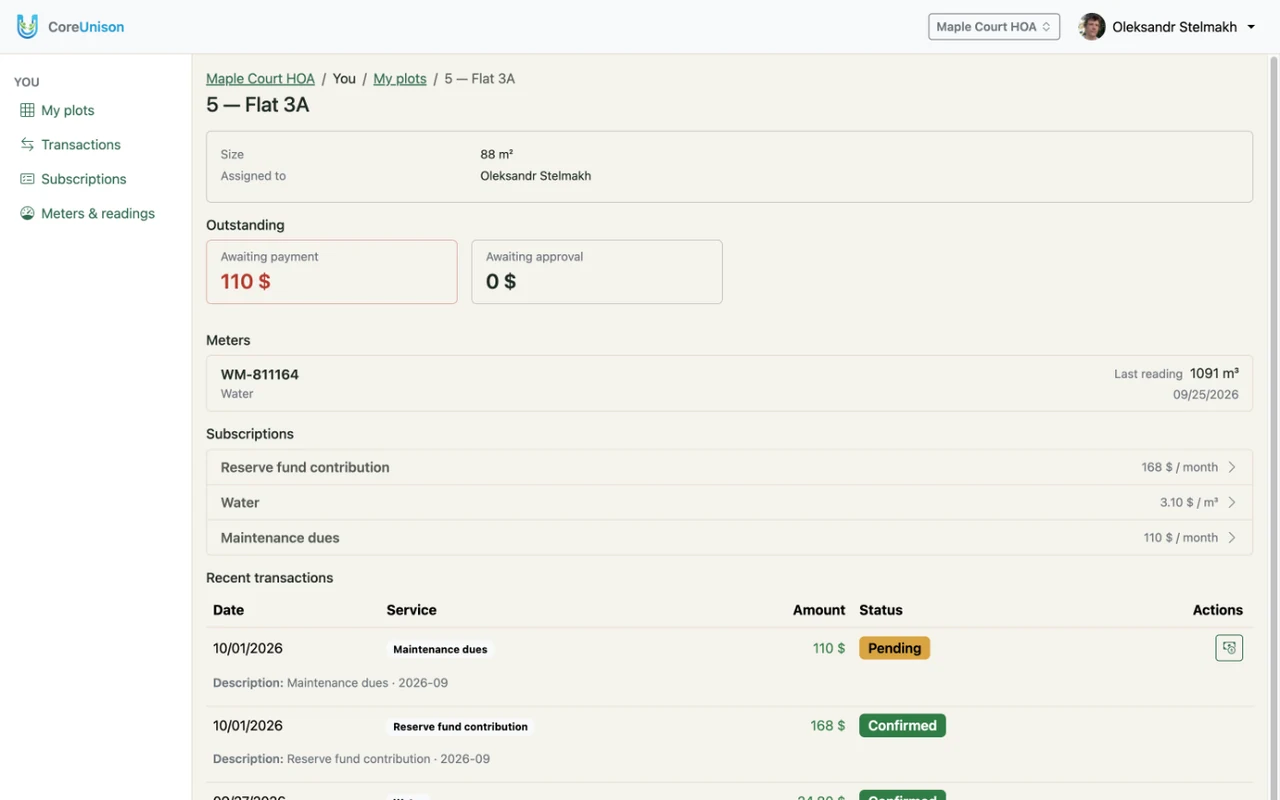
Most arguments in a building start with a water or electricity bill nobody can explain. In CoreUnison every flat has its own meters and its own reading history, so when a neighbour asks why their bill went up, the board opens the flat and shows each reading and the charge it became.
Boards change, and so do owners. When a flat is sold, its debt and history stay with the flat, so the new owner and the board both know where things stand. When the chair steps down, they hand ownership of the association to the next chair in Settings — records, members and history stay exactly as they were.
Not every resident will use an app, and they don't have to. The board can add an elderly neighbour as a member, submit readings for them and record their payments. If they — or a relative — sign up later, the board attaches the new login to the same member, and all their history is already there.
Built for a small association
A building of 20–60 flats rarely has a paid accountant — the chair and a volunteer treasurer do it in the evenings. CoreUnison keeps that to a few minutes a month: residents submit readings, the board approves them, and balances update by themselves. An association with 24 users pays $12 a month after the free trial.
How to get your HOA started
Create your association
Sign up, create your organization and share its invite code with residents. You approve everyone who joins.
Add units and tariffs
Add units with their area, meters and services: water, electricity, gas, maintenance dues. Residents can be added before they sign in.
Each month, just review
Residents submit readings, the board approves them, and every unit's charges and balance update by themselves.
Pricing
For example, an association with 60 users pays $30 a month after the free trial.
After the trial
$0.50 / user / month
The price follows your organization's country. We'll give advance notice before any price change.