Everything to run shared costs
CoreUnison takes the spreadsheets off the board, the retyping off the accountant, and the calls and arguments about who owes what off everyone.
For the board
Set up your community once — then just review.
Members by invite code
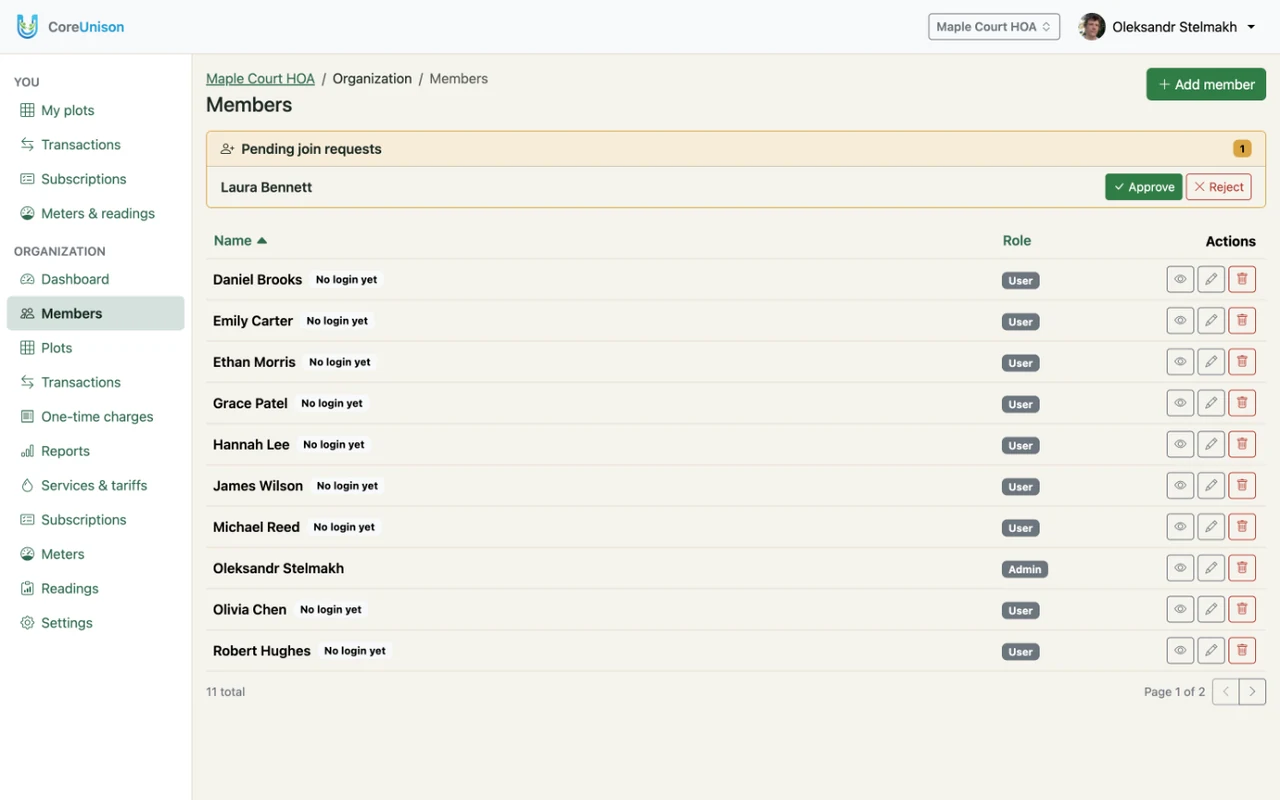
Share a code and approve each request yourself. People can be added before they sign up, so records start on day one.
Any tariff
By meter, monthly — fixed or by area — or one-off. Set it up once, and the rest works itself out.
Monthly billing on its own
On the 1st, dues and rent are billed automatically — no spreadsheets, no recalculating by hand.
Dashboard and reports
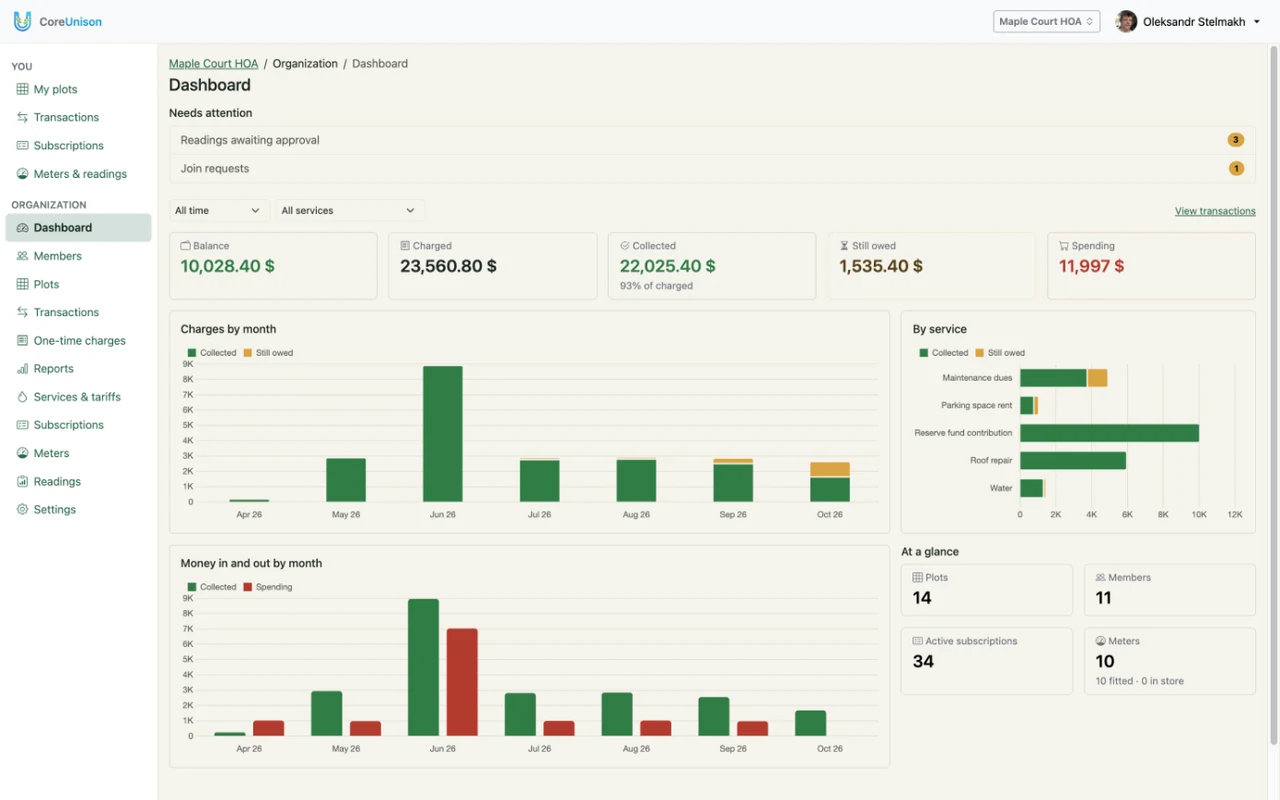
Income, spending and everything that needs your attention, on one screen. You choose how open your organization is.
Hand over the keys
When the chair steps down, they transfer ownership of the organization to the next one. Records, members and history stay as they were.
Members without a smartphone
Add them, submit their readings and record their payments yourself. If they sign up later, their login is attached to the same member — history included.
Everyone is on the list from day one — including people who haven't signed up yet. They're marked “No login yet” until a join request is attached to them, and new join requests wait right there for your approval.
For the accountant
Less manual work, and numbers that always add up.
Reading approval
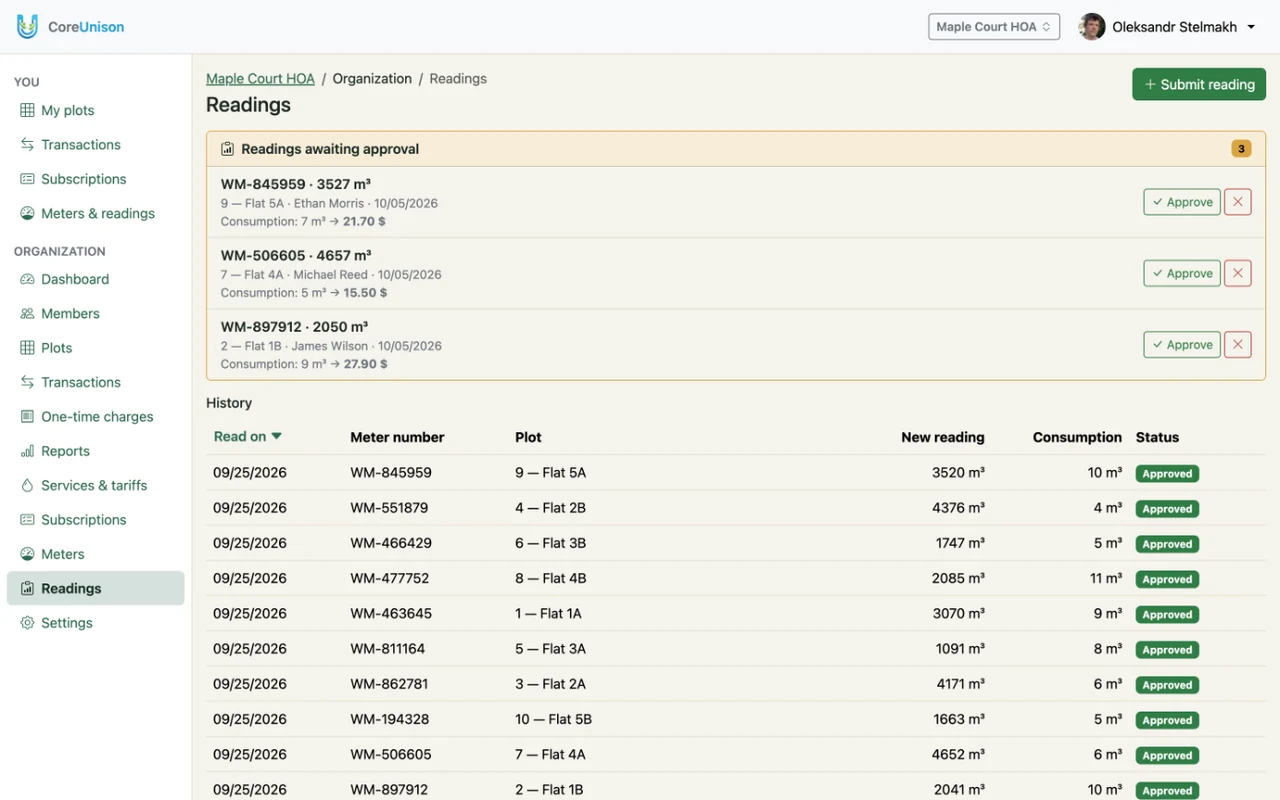
Members submit their own readings; you approve or reject them. An approved reading becomes a charge right away.
One ledger
All income and spending with clear statuses. Balances are worked out from the ledger, so they always match it.
One-off charges
A road or roof repair — split the total evenly across the units you pick, or set each share by hand.
Debt stays with the unit
When an owner or tenant changes, the history and balance stay with the unit. Nothing gets lost.
New readings wait in one queue, with the consumption and the charge already worked out. Approve or reject each one — approved readings go straight to the ledger.
For members
Everyone sees what they pay for, and submits a reading in a minute.
A page of their own
Their own units, meters, charges and payments — and nothing else.
Readings from a phone
No calls, no chat messages: submitting a reading takes a minute.
Bills by email
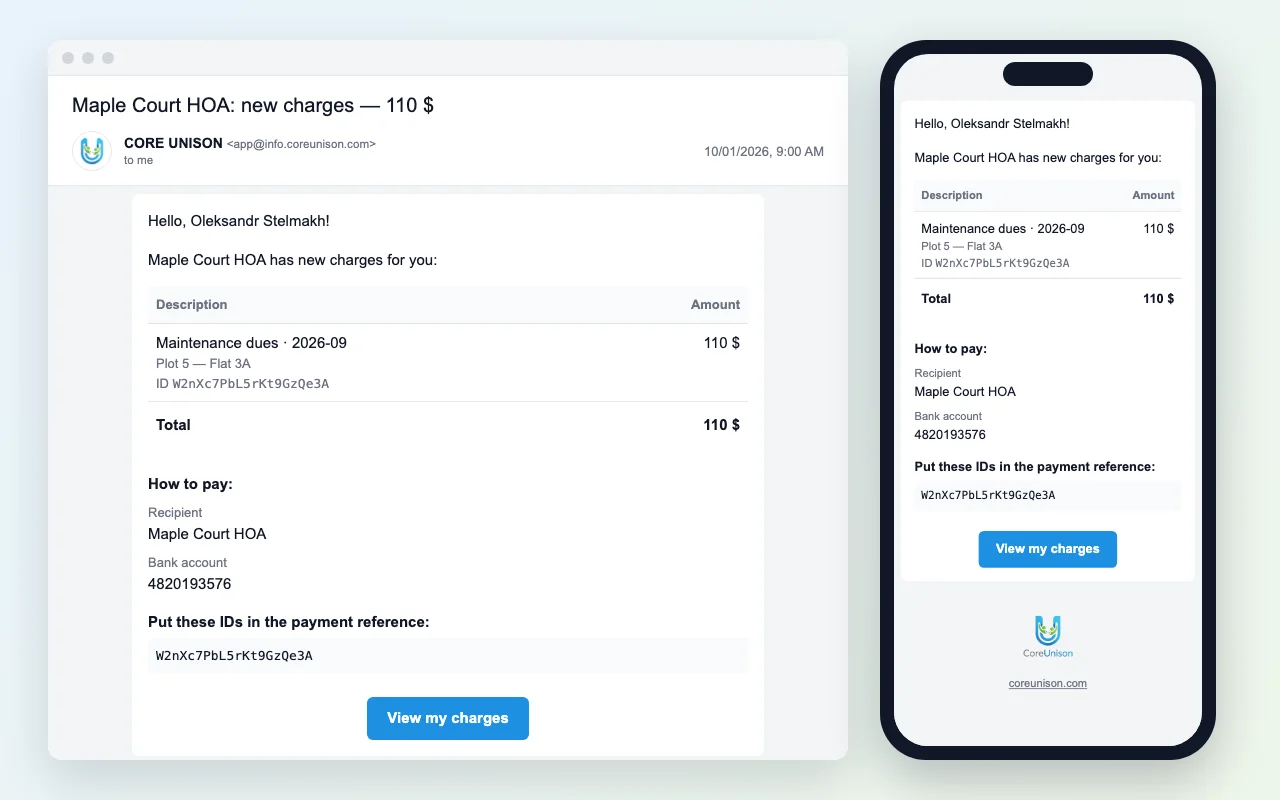
Each new charge arrives by email with the payment details — nothing to look up.
In their language
English or Ukrainian — everyone picks their own, and the choice follows them to every device.
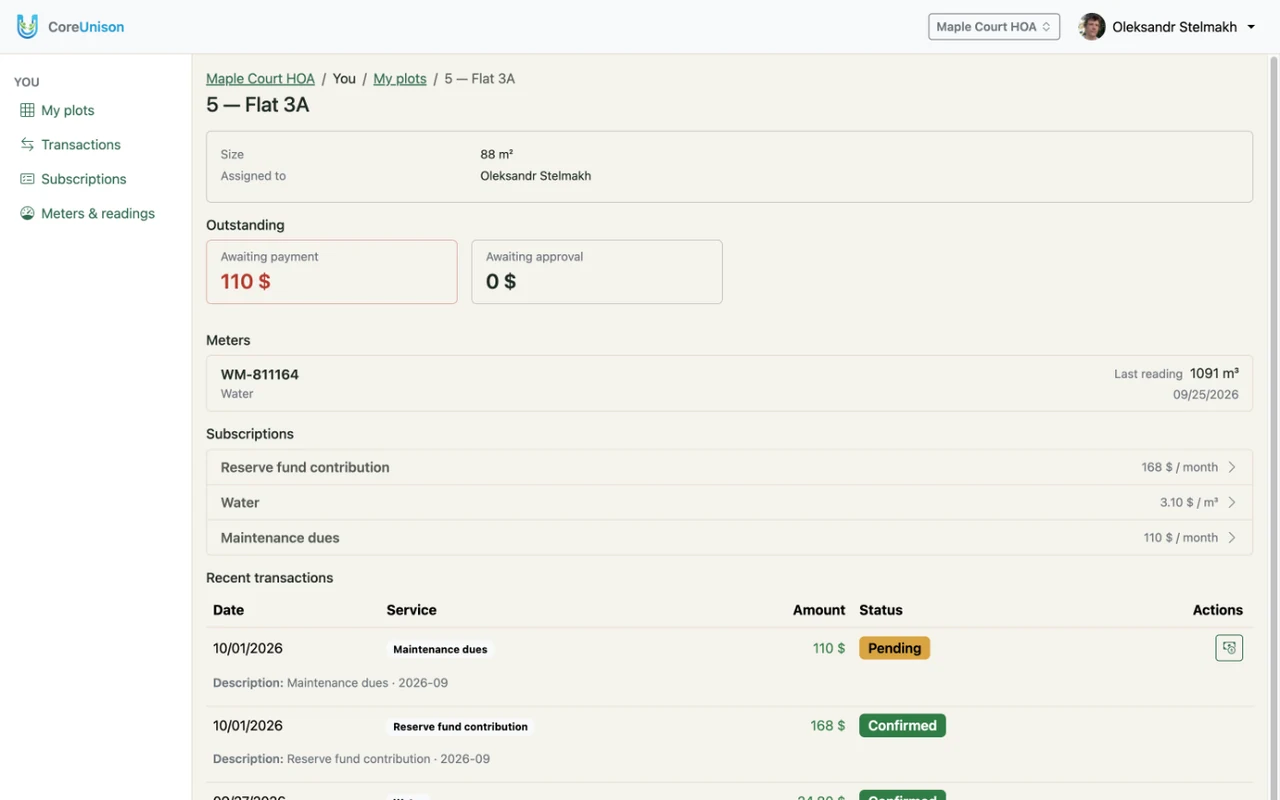
Each member's page shows only their own units, meters, charges and payments — what they owe and what they've paid, and nothing about anyone else.
Every new charge arrives by email: what was charged, the total due and the payment details. Members put the charge IDs in the payment reference, so each payment is easy to match. The email reads just as well on a phone.
What changes for your community
Fair
Everyone pays for what they actually use, by meter, by area or by unit — no more splitting everything equally.
Transparent
Every member sees their own charges, payments and balance, and in a public organization everyone sees where the money goes.
Less work for the board
Members submit their own readings; one approval turns a reading into a charge. No spreadsheets, no retyping.
Fewer disputes
Every reading, charge and payment is kept with its unit, so history is always there when someone asks.
Quick start
Members can be added before they sign up, so records start on day one — not once everyone has registered.
Works anywhere
Runs in the browser on any phone or computer — nothing to install, nothing to update.